
Duplicate Song Finder - Audio Dedupe
Screenshots and Interface Overview
 About
About Features
 Download
 Register (buy)
 Screen Shots
 What's New?
 FAQ
FAQ Awards
 Tutorials
Duplicate Song Finder - Main Window
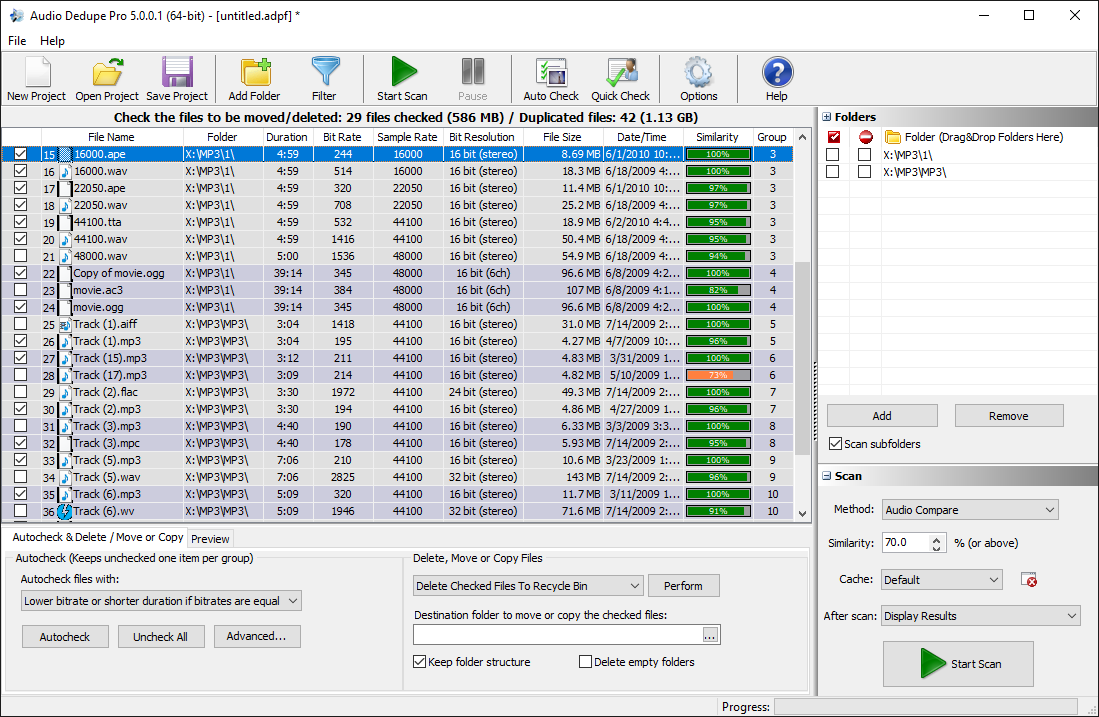
The main window displays duplicate and similar songs grouped together with their similarity percentage, file format, bitrate, file size, and full path. Each group shows all matching copies of a track side by side, making it easy to compare versions and decide which one to keep. The integrated audio player at the bottom lets you play any track directly from the results list without opening an external application.
Duplicate Song Finder - Options
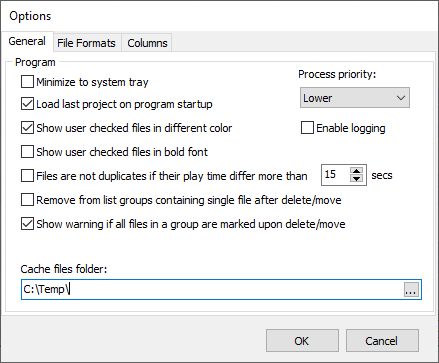
The Options window lets you configure how Duplicate Song Finder scans and compares audio files. Set the similarity threshold, choose which scan mode to use, configure the fingerprint cache location, and adjust performance settings for multi-threaded scanning. All settings are preserved between sessions so you do not need to reconfigure the tool each time you scan.
Automatic Selection of Duplicate Songs
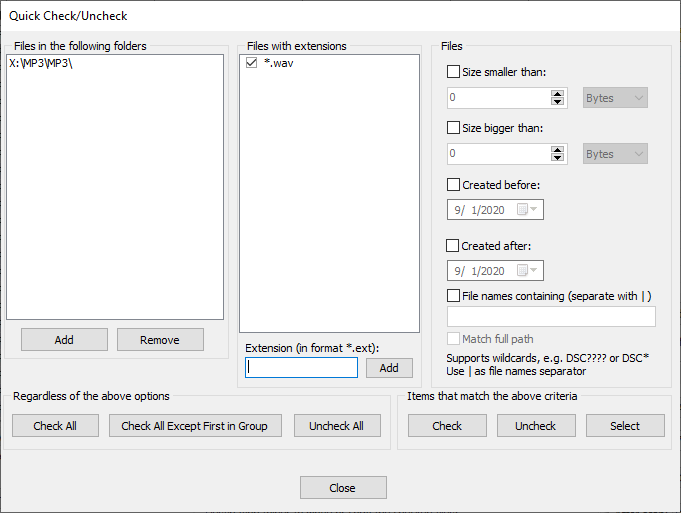
The Auto-Mark feature automatically selects the lower-quality copy in each duplicate group for removal, based on bitrate, file size, song length, or file date. This means you do not need to manually review every result in large libraries. The highest-quality version of each track is always preserved, and you can adjust any automatic selection before deleting anything.
Filter Duplicate Songs by Format, Size, and More
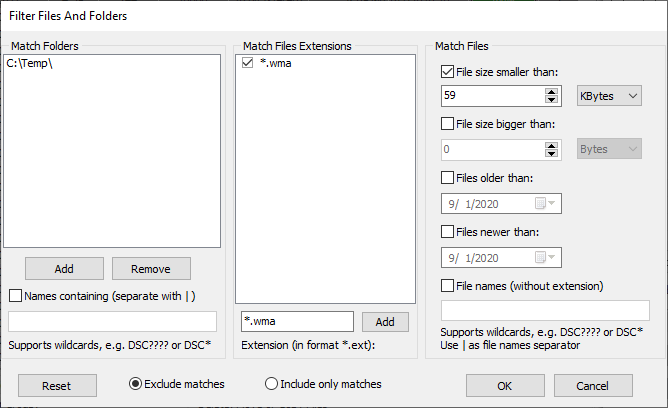
The filter panel gives you precise control over which files are included or excluded from a scan. Filter by audio format, file size, creation date, file attributes, folder path, or filename pattern. This is particularly useful when you want to scan only specific formats - for example finding all FLAC files that have a duplicate MP3 copy - or when you want to protect certain folders from being included in the results.